
Integrations · Free with a Skydex account
Your PIP from Skydex
Skydex is a free browser flight game over the real Earth, where you hatch and raise PIP, a robot gull. With XenPips he also lives on your desktop between flights.
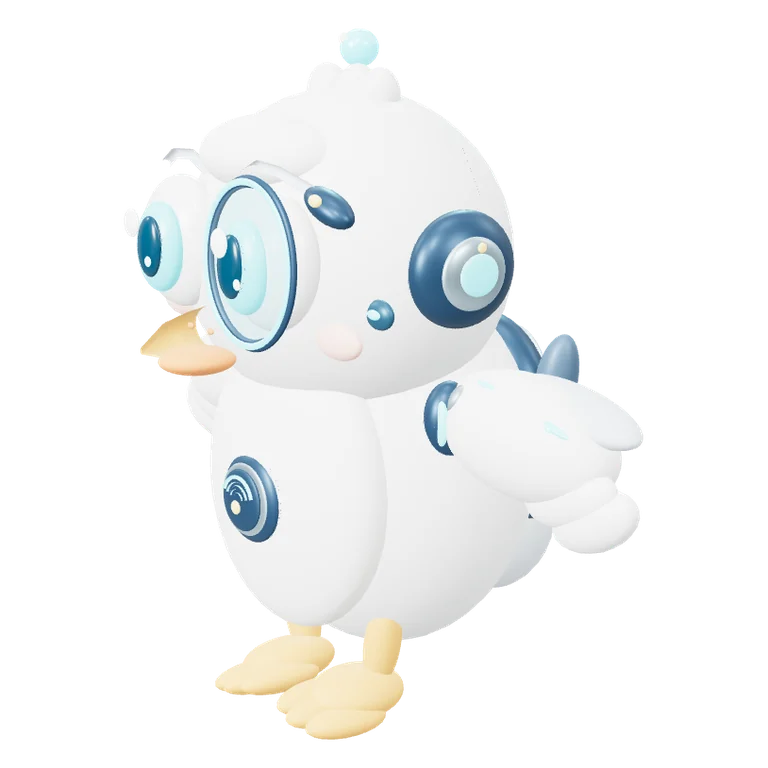
The same PIP as in the game
Connect your Skydex account and PIP wears the colours, gear and stage you earned in the game. Change his look in Skydex and the desktop PIP changes too.
He joins your flights
When you take off in Skydex, PIP leaves the desktop and turns up beside you as your wingman. Pause, land or close the tab and he flies home. He is never in two places at once.
If you would rather keep him on the desktop, turn on Stay on the desktop during flights in his menu. A small plane badge then sits by his head while you fly, and your catches pop over him with their icon, +1 and points.
News from the game
New rows in your Skydex bell show up as a bubble in your language. A rare aircraft over your antenna opens the live map right from the bubble.
Moving from SkyDex PIP 0.9
Before XenPips, PIP had his own desktop app, SkyDex PIP. XenPips finds its link on your computer and connects Skydex without a new code. His place on the screen and his settings move too.
How to connect
- Download XenPips and start it.
- Right-click the pet, open Integrations and choose Link to Skydex. Or connect Skydex in your XenPips account.
- Confirm the code on skydex.online. PIP appears in your colours.
Questions
Does it cost anything?
No. Skydex PIP is free with a Skydex account, and so is Skydex.
I don’t have PIP in Skydex yet.
In Skydex you get an egg after your first flights; PIP hatches from it. Until then you can keep PIP Starter on the desktop.
Can I keep NOX and Skydex PIP together?
Yes. Two pets can live on the desktop at once.
How do I disconnect Skydex?
In your XenPips account, or on skydex.online under My pet, where every linked computer is listed and can be unlinked.